아라의 하늘 관제탑 guide
Aircraft keep arriving from the edges of the airspace, and you draw each one a path to the runway that matches the letter and shape beside its name. A plane with no route simply flies straight and turns back at the edge, so the real job is managing landing order and spacing while several planes are in the air at once. With controller Ara, you open twelve sectors in turn, from Dawn Corridor to Tower Exam, and Endless Traffic is open from the start for record runs.
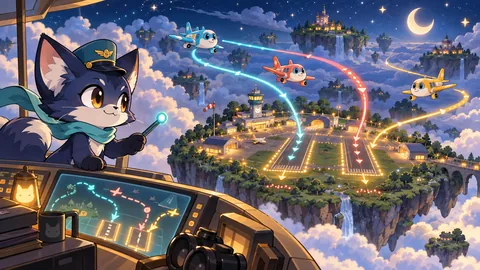
- Genre
- 퍼즐
- Difficulty
- Normal
- Players
- 1인
- Controls
- 비행기에서 활주로까지 드래그 · 바로 진입 · 키보드·게임패드
How to play
- Pick a sector from the list and start. In the first sector, Dawn Corridor, three planes hold in place and a dotted safe route shows you exactly what to trace.
- Press a plane and drag to draw its route; release to confirm it. End the route near the entry arrow of the runway with the same letter (A–D) and shape (●■▲◆), and the plane lines up with the runway and lands on its own.
- If drawing feels fiddly, select a plane and press Direct (L key). It instantly assigns a standard approach that swings behind the runway and enters at the arrow.
- Two planes getting too close is a collision, and an empty tank is an accident; either ends the sector on the spot. Fuel burns from the moment a plane appears, five to six times faster inside storm zones, and wind slowly pushes planes off line in windy sectors.
- Land every plane in the sector to clear it and unlock the next. Each landing scores 100 points plus one point per second of fuel left.
- Keyboard: 1–4 select a plane, arrow keys draw, Enter confirms, N picks the next plane, Esc cancels. Gamepad: the stick draws, A confirms or sets a direct approach, RB picks the next plane, B cancels, Start pauses.
Strategy tips
- A route that ends far from the entry, or at a runway with a different letter, counts as a go-around and the plane keeps flying in its last direction. Zero go-arounds earns three stars and up to two earns two, so place the route's end right by the entry arrow.
- A blinking triangle with a seconds count at the edge marks a plane arriving within three seconds. Keep other routes away from that spot.
- If the route you are drawing turns pink, it crosses another plane's route; yellow means check it again. Look at the colour before you lift your finger.
- A plane with 12 seconds of fuel or less gets a '!' and a red ring. Land those first with Direct, and bring the others down while they still have plenty of fuel, since leftover fuel adds to the landing score.
- A direct approach does not avoid other planes or storms. Any plane can be selected again and given a new route, even one already flying a route, so redraw a detour when the sky gets busy.
Common questions
I drew the route to the runway but the plane flew straight past.
The route only becomes a landing when it ends near that plane's runway entry arrow or on the runway itself. If you drew to a runway with a different letter, or the end was too far away, it is treated as a go-around. Select the plane again and draw a new route.
How are stars awarded?
Clear a sector with no go-arounds for three stars, two or fewer for two, and more than that for one. A collision or fuel accident ends the sector with no stars.
When does Endless Traffic end?
It has no finish line and runs until an accident. Arrivals start roughly 7.5 seconds apart and the gap keeps shrinking to about 3.4 seconds. The number of planes you land is saved as your best.
What happens if I reload mid-sector?
Cleared sectors, each sector's best score and your Endless best are saved on the device, but the flight in progress is not, so you start that sector again. To take a break, use pause: flights and routes stay exactly as they were.
More guides in this genre
- Rivet's 2048 Workshop guideSlide the board so equal gadget tiles merge and double, and build the 2048 part with tinkerer Rivet.
- Lulu's Word Five guideGuess the five-letter English word in six tries with librarian Lulu, then learn its Korean meaning.
- Kiki's Crystal Pop guideTap clusters of matching crystals with cave guide Kiki, build rockets, bombs and prisms, and clear each cave's goals.
- Momo's Spot the Difference guideCompare two freshly drawn photos with traveller Momo and tap every difference before time runs out.
← All game guidesLast updated 2026.10.23